Auto-Stop Duration
Protect your battery and your neighbors. Configure precise automatic silencing limits ranging from 1 minute to Infinite.
Overview
When an alarm fires while you are in the shower, or worse, when you have accidentally left your phone at home while at the office, a traditional alarm clock will ring endlessly. This not only drains your device's battery completely dry, but it can cause severe disruption to anyone nearby.
ReAlarm introduces the Auto-Stop Duration setting, allowing you to establish a hard time limit on how long a specific alarm is permitted to ring before the system intelligently silences it on your behalf.
Capabilities
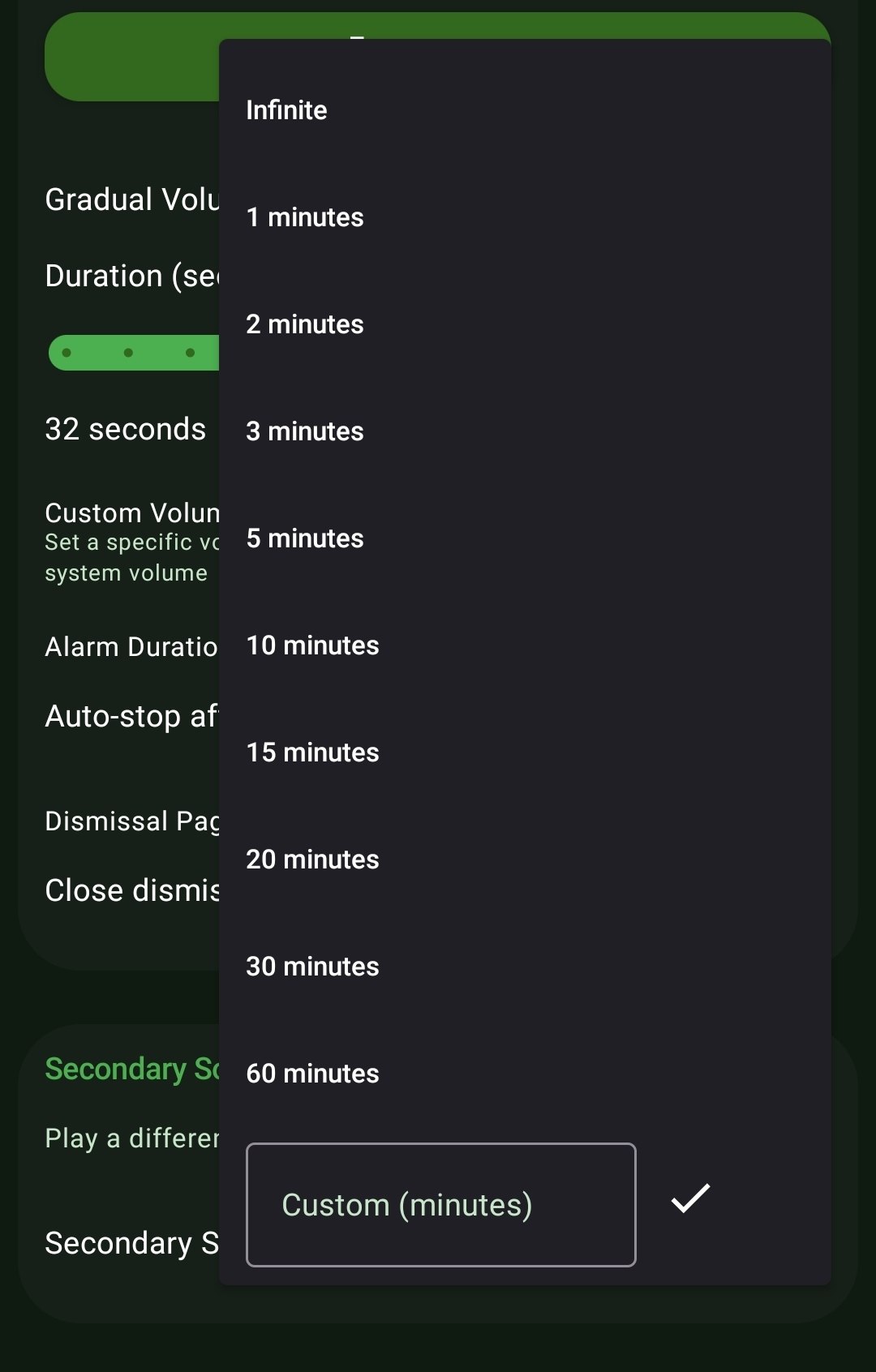
- Flexible Duration Presets: Choose from quick auto-silence windows like 1 or 2 minutes, extending all the way through 15, 30, or a massive 60-minute duration limit.
- Custom Minute Input: If the preset options don't match your exact routine, you can tap 'Custom' and type in the exact number of minutes you want the alarm to be active for.
- Infinite Override: For critical wake-up events that you absolutely must not miss under any circumstances, leave the setting on 'Infinite' to ensure the alarm screams until you explicitly dismiss it.
How to Setup
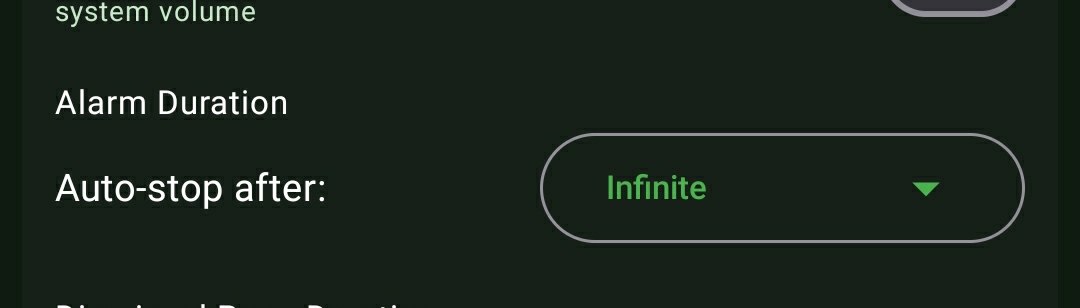
- While creating or editing your alarm, scroll to the 'Alarm Duration' block.
- Tap the 'Auto-stop after' dropdown menu.
- Select your preferred time limit (e.g., 5 minutes) or input a custom integer.
Use Cases
The Distracted Baker: You set a quick 20-minute Interval Alarm to check the oven while cleaning the house. You set a 1-minute Auto-Stop because you just need the audio cue; you don't want to dry your wet hands specifically to dismiss your phone.
Battery Preservation: If you accidentally leave for a weekend trip while your daily 6:00 AM work alarm is still active, setting a 10-minute Auto-Stop ensures your phone isn't sitting on your nightstand ringing for 6 hours straight, completely draining the lithium battery.
Screenshots
Frequently Asked Questions
What happens if an alarm Auto-Stops? Will it notify me later?
Does Auto-Stop bypass my Wake Up Check?
Ready to Upgrade Your Morning?
Install ReAlarm today to unlock Auto-Stop Duration for free.
Get it on Google Play