Comprehensive Weather & Air Quality
Wake up to detailed local weather forecasts, air quality indices, astronomy data, and vocal daily announcements.
Overview
The moment you wake up, your most immediate question is usually, "What's it like outside?" ReAlarm's Comprehensive Weather Integration eliminates the need to manually open a separate weather app by instantly displaying highly detailed meteorological data directly on your alarm dismissal screen.
Additionally, ReAlarm can verbally announce this data through its powerful Text-to-Speech (TTS) engine, allowing you to hear the daily forecast, exact temperature ranges, and current conditions out loud while you are still lying in bed with your eyes closed.
Capabilities
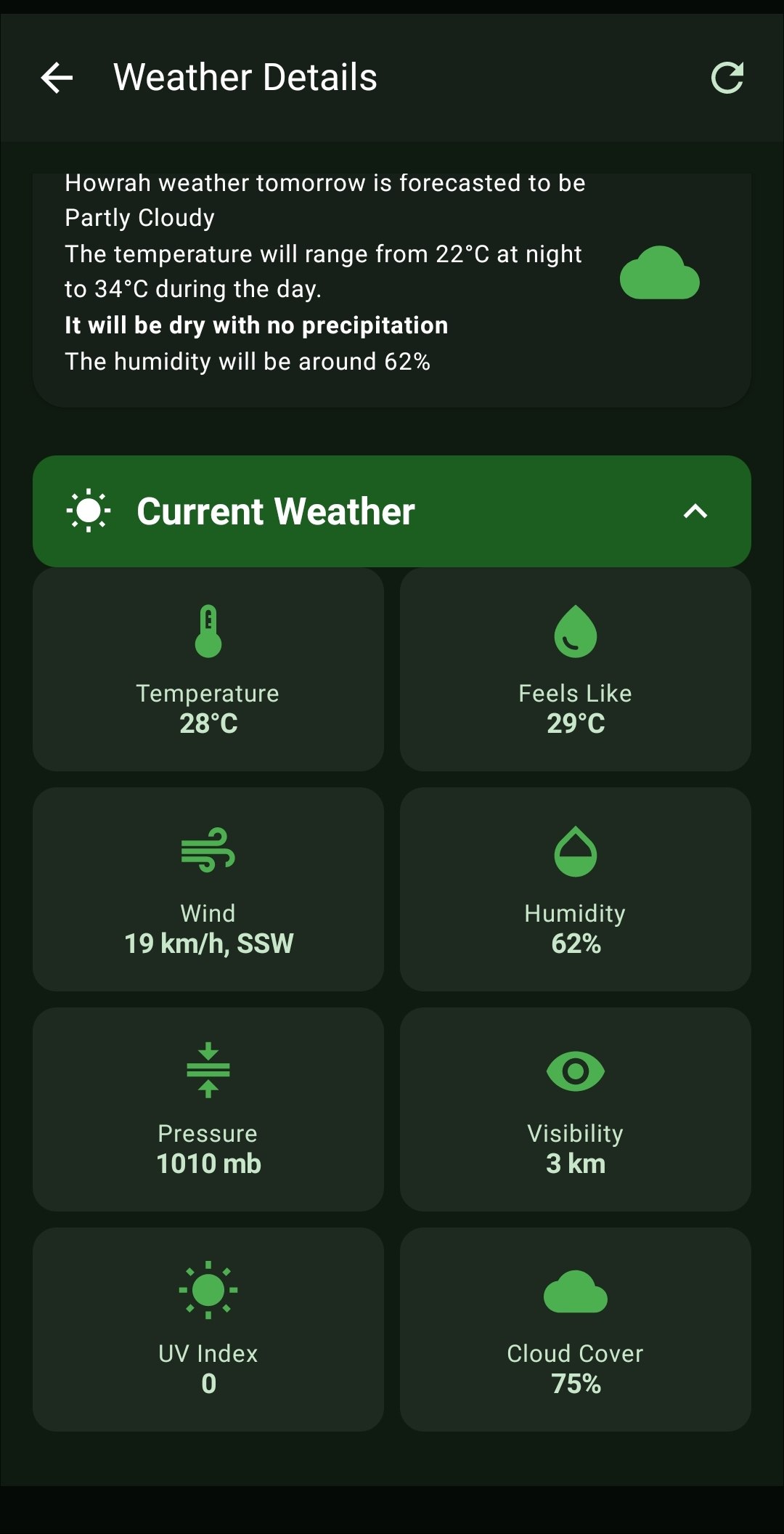
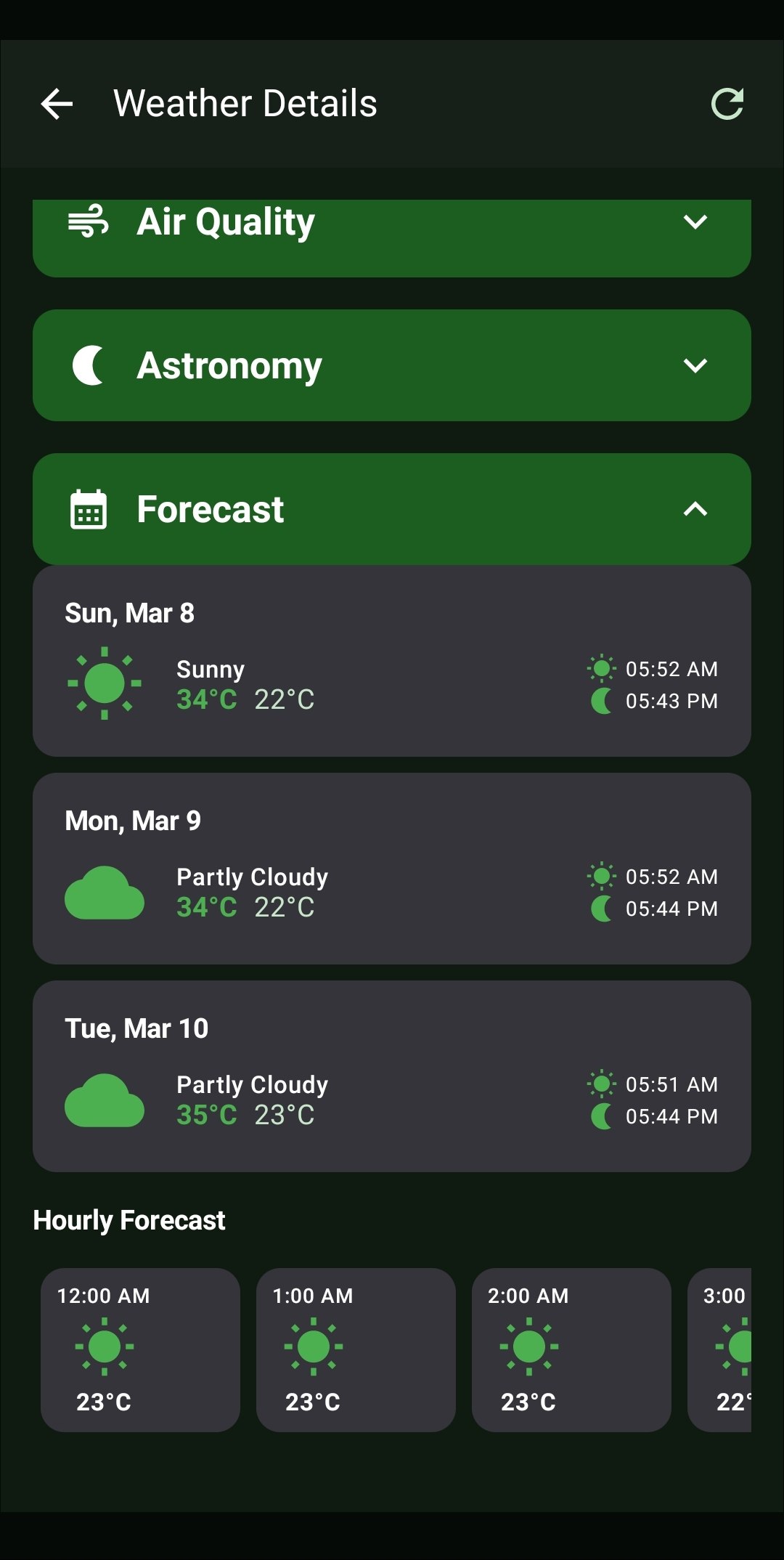
- Current Conditions & Hourly Forecasts: Instantly view the current temperature, 'Feels Like' metric, Wind Speed, Humidity, Air Pressure, UV Index, and overall Cloud Cover. Scroll through the granular Hourly Forecast or review the upcoming 3-Day Daily Forecast.
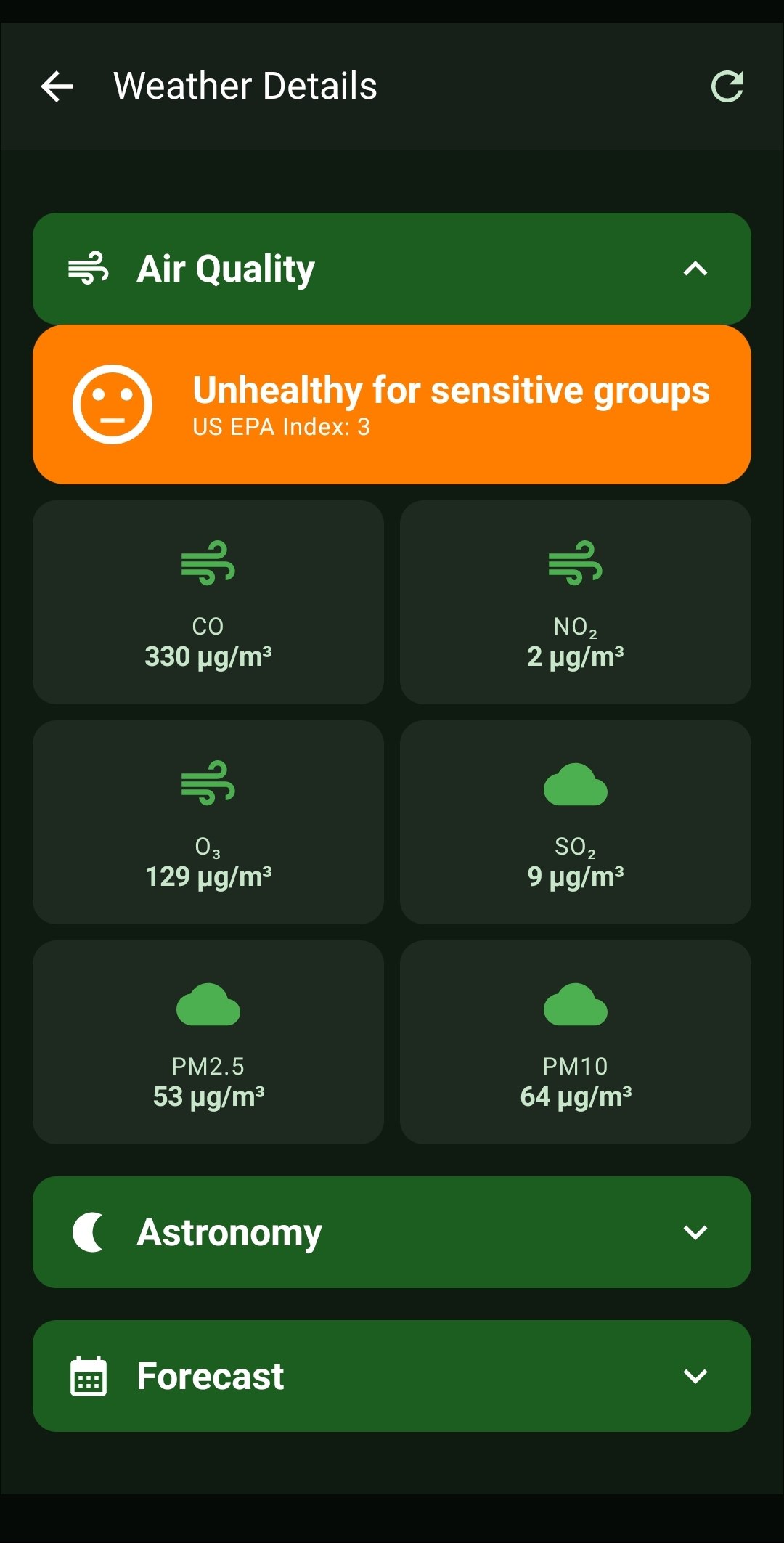
- Air Quality Index (AQI): Protect your health with dedicated Air Quality tracking. View exact microgram measurements for Carbon Monoxide (CO), Nitrogen Dioxide (NO2), Ozone (O3), Sulfur Dioxide (SO2), and fine particulate matter (PM2.5 & PM10).
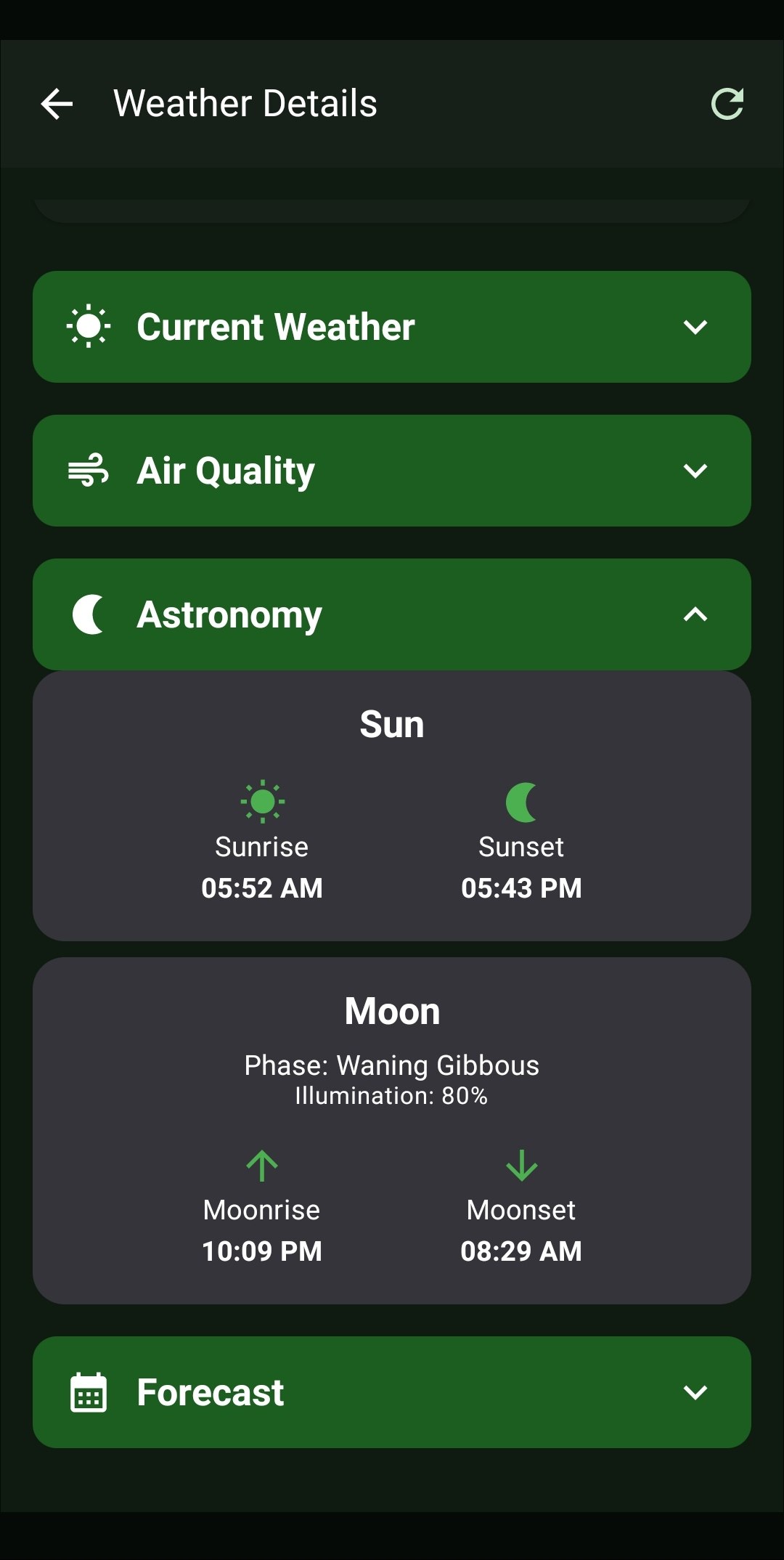
- Astronomy Tracking: Display exact Sunrise and Sunset times, alongside highly detailed lunar data including the current Moon Phase (e.g., Waning Gibbous), Illumination percentage, and exact Moonrise/Moonset schedules.
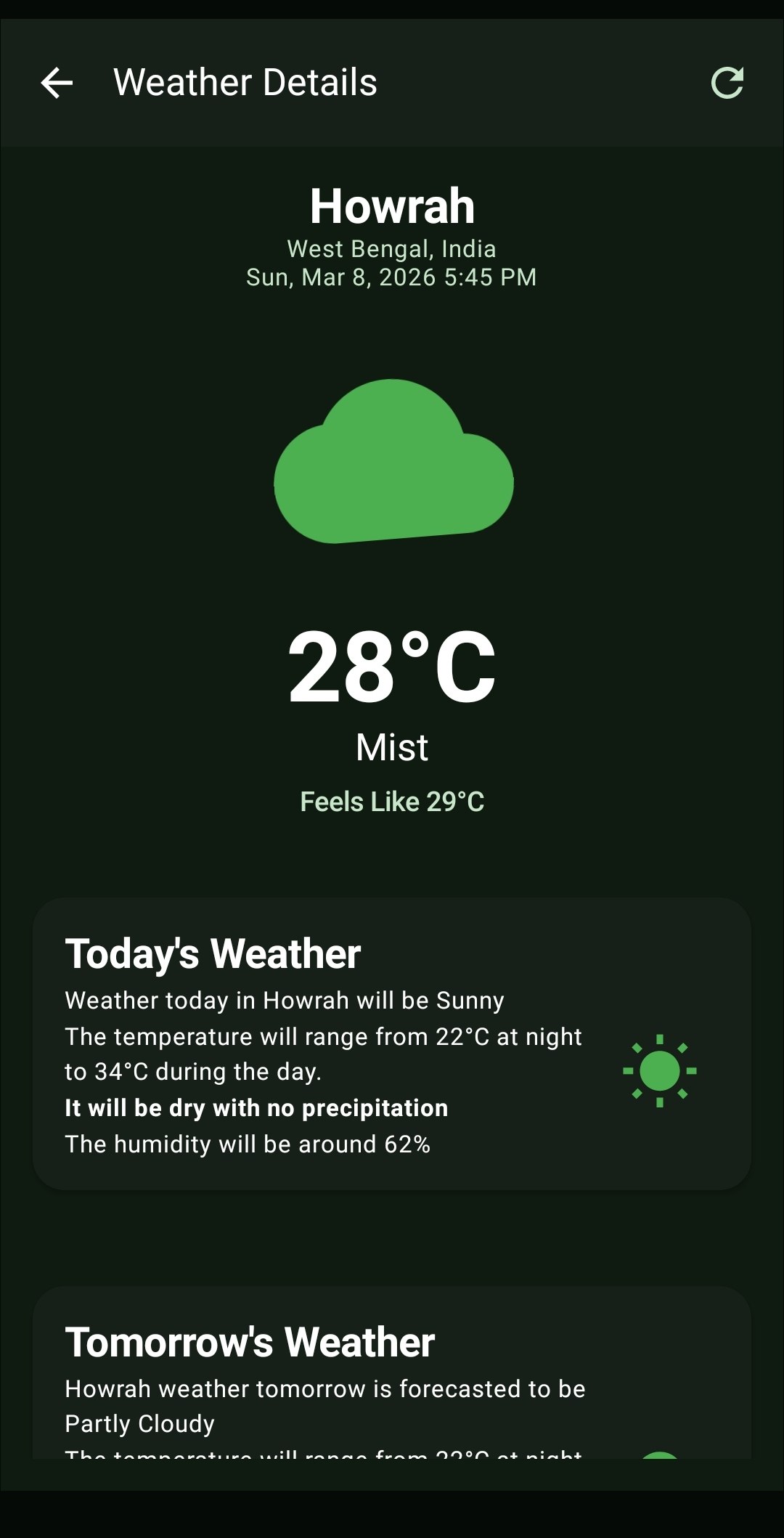
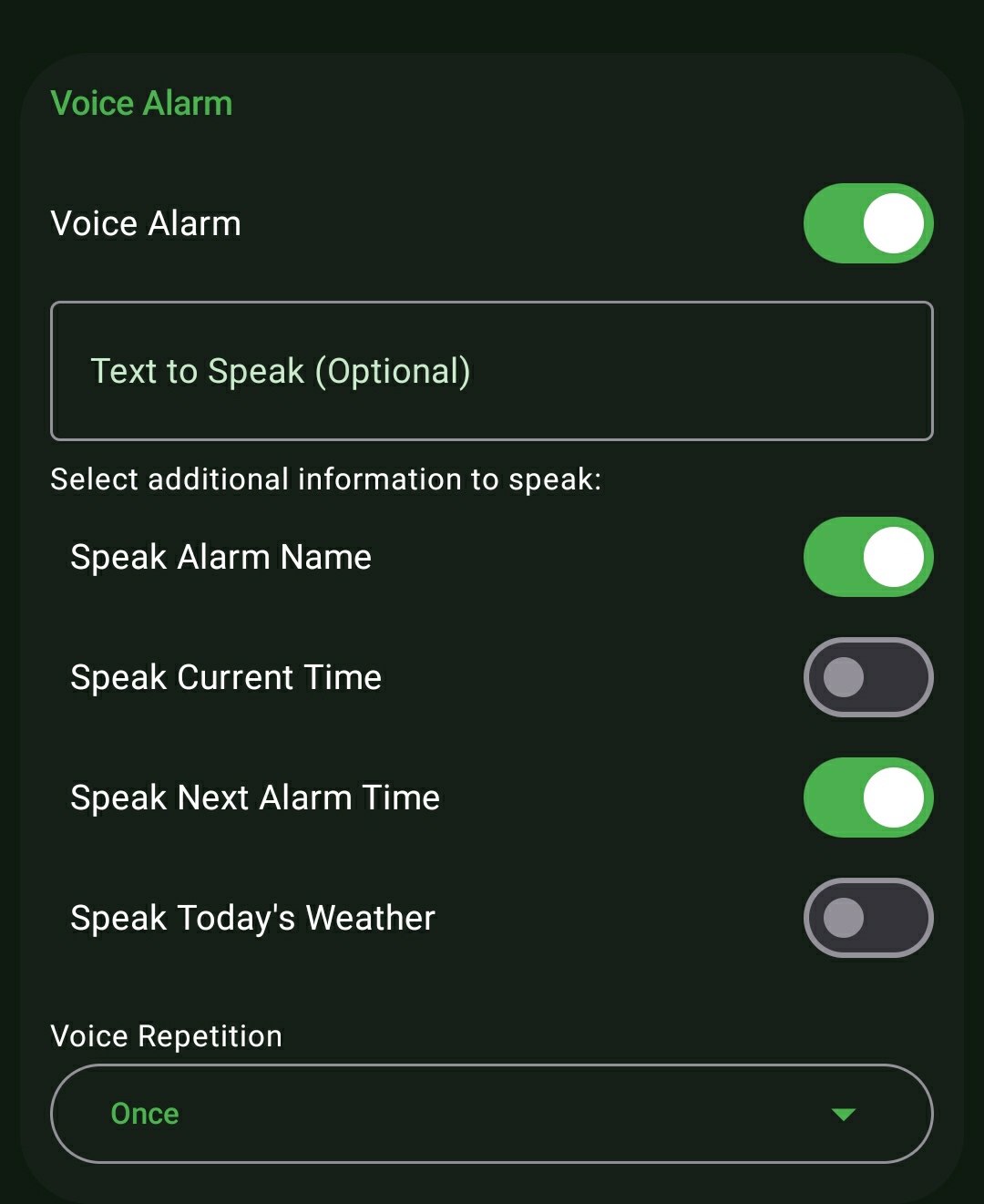
- Vocal Weather Announcements: Toggle the Voice Alarm capability to have ReAlarm's TTS engine automatically read aloud a conversational summary of the day's weather (e.g., "Today will be Sunny, ranging from 22 to 34 degrees") immediately after the alarm rings.
How to Setup
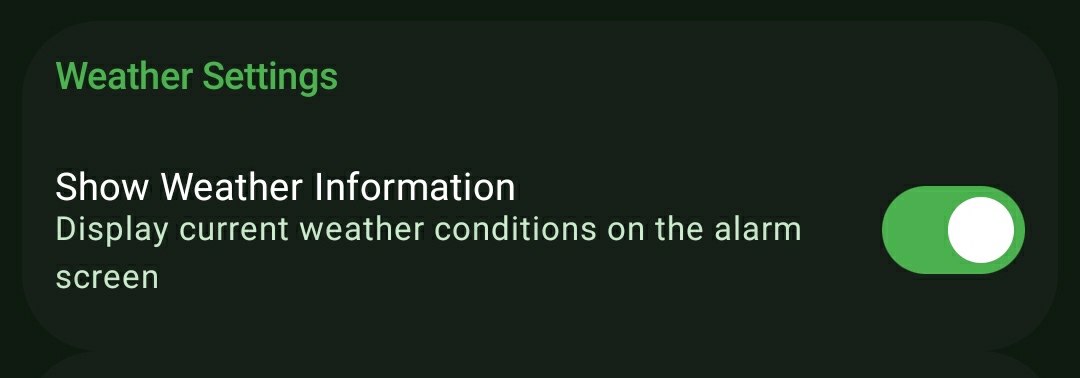
- While creating or editing an alarm, navigate to the 'Weather Settings' panel.
- Enable the 'Show Weather Information' toggle to activate weather for this specific alarm.
- Ensure you have granted background Location permissions so the app can fetch hyper-local coordinate data.
- (Optional) For Vocal Announcements, configure your alarm's 'Voice Alarm' section to include the 'Weather' variable in the spoken message.
Use Cases
The Allergy & Asthma Sufferer: Before deciding to go for a morning run, instantly check the PM2.5 and Ozone Air Quality Indices right on the alarm screen. If the EPA index reads 'Unhealthy for sensitive groups', you can immediately plan for an indoor workout instead.
Eyes-Closed Commute Planning: By enabling Vocal Weather Announcements, the alarm will explicitly say, "Good morning. Today in Howrah will be Sunny. The temperature will range from 22 to 34 degrees. It will be dry with no precipitation." You can mentally plan your outfit without even opening your eyes.
Screenshots
Frequently Asked Questions
Does fetching this weather data drain my battery overnight?
Where does the Air Quality (AQI) data come from?
Can I choose between Celsius and Fahrenheit?
Do the Vocal Weather Announcements work without an internet connection?
Ready to Upgrade Your Morning?
Install ReAlarm today to unlock Comprehensive Weather & Air Quality for free.
Get it on Google Play