Voice Announcements
Transmute your standard alarm into a highly intelligent personal assistant that dictates vital morning context aloud while you wake up.
Overview
Staring at a bright screen immediately upon waking is both jarring and bad for your circadian rhythm. The Voice Announcements feature completely bypasses the need to look at your phone. Leveraging Android's powerful Text-to-Speech (TTS) engine, ReAlarm transforms into an intelligent personal assistant that audibly dictates customized context directly to you while the alarm rings.
From speaking the exact time to reciting the current weather forecast, this hands-free approach ensures you are fully informed about the day ahead before your eyes are even open.
Capabilities
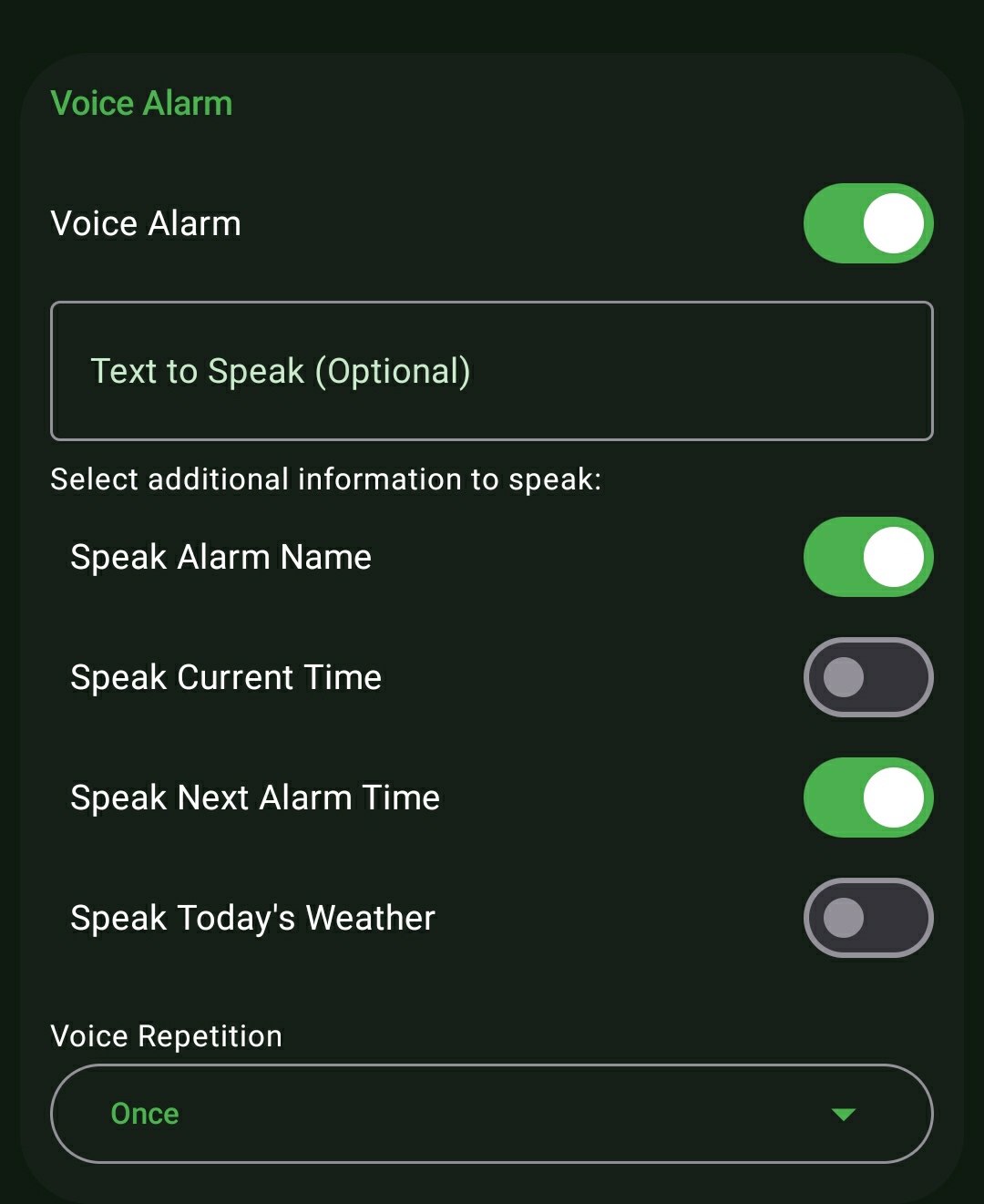
- Customizable Text-to-Speech: Type any personalized motivational phrase (e.g., 'Wake up champion, you have a 9 AM flight!') and ReAlarm will explicitly dictate it aloud.
- Alarm Name Dictation: Have the app announce the specific title of the ringing alarm to immediately remind you of your objective.
- Time & Schedule Awareness: Audibly dictate the strict current time, as well as the time your next scheduled alarm is set to go off.
- Live Weather Briefing: Seamlessly fetches and reads aloud the current local weather conditions, directly influencing how quickly you decide to get out of bed.
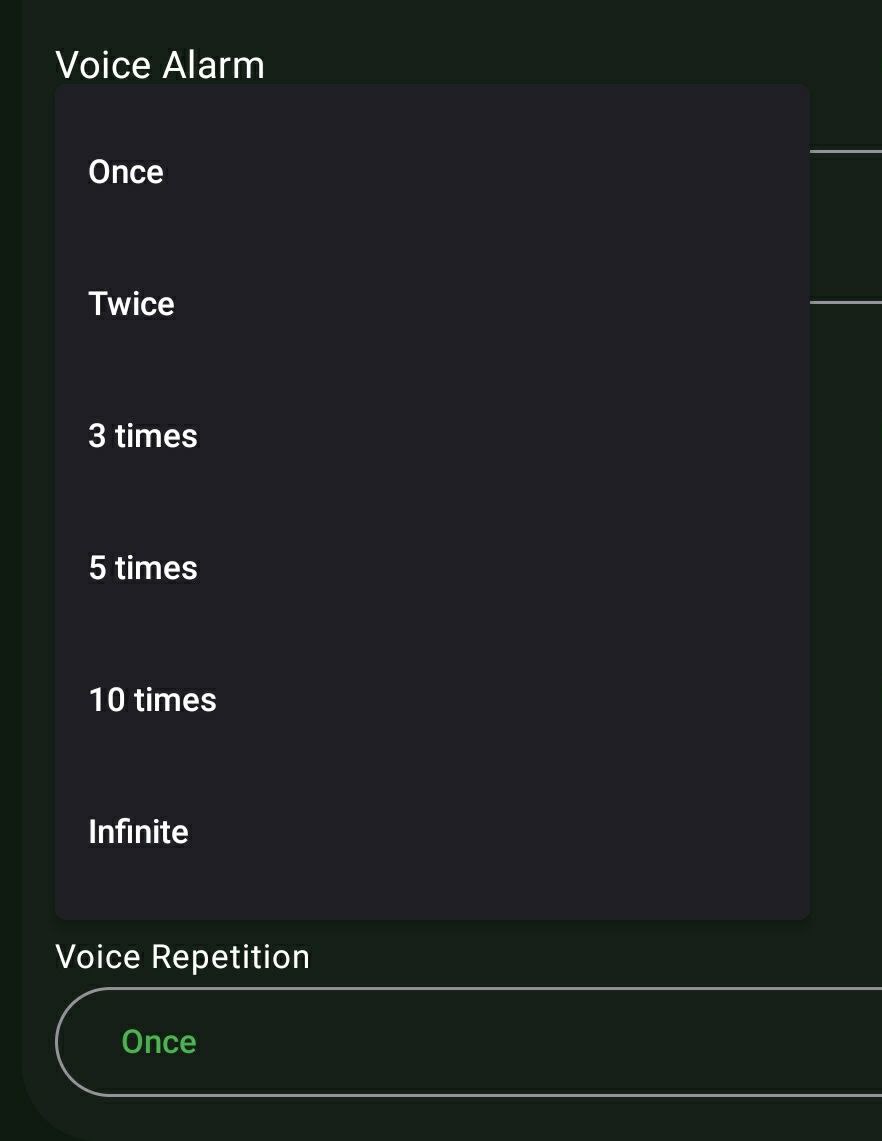
- Granular Voice Repetition: Retain complete control over how often the assistant speaks. Select from specific loop intervals: Once, Twice, 3 times, 5 times, 10 times, or an Infinite loop that continues until physically dismissed.
How to Setup
- Create a new alarm and scroll to the 'Voice Alarm' section.
- Toggle the master 'Voice Alarm' switch to ON.
- Optionally, type a custom motivational phrase into the 'Text to Speak' input field.
- Toggle your preferred data points: 'Speak Alarm Name', 'Speak Current Time', 'Speak Next Alarm Time', or 'Speak Today's Weather'.
- Tap the 'Voice Repetition' dropdown to select how frequently the audio recites during the active alarm.
Use Cases
The Hands-Free Commuter: If you commute via motorcycle or bicycle, hearing ReAlarm announce 'Heavy Rain expected today' while you are stretching in bed instantly reminds you to pack your waterproof gear before you even glance at a weather app.
Visual Accessibility: For users who are blind, visually impaired, or simply highly sensitive to sudden bright screen light in the morning, Voice Announcements provide a 100% audio-driven awakening experience.
Screenshots
Frequently Asked Questions
Do Voice Announcements require an active internet connection?
Does the Voice Announcement play over top of my chosen alarm ringtone?
How do I change the accent or language of the Voice Announcement?
Ready to Upgrade Your Morning?
Install ReAlarm today to unlock Voice Announcements for free.
Get it on Google Play