Sunrise & Screen
Simulate a natural dawn with a full-screen, gradual light progression to wake up peacefully before the auditory alarm sounds.
Overview
Being jolted awake in a pitch-black room by a blaring siren is stressful and biologically jarring. Sunrise & Screen aims to simulate a natural dawn by utilizing your phone's screen to produce a warm, increasingly bright glow in the moments leading up to your alarm.
This smart visual cue taps into your circadian rhythm, signaling to your brain that it's time to wake up. By the time the actual audio rings, you are already in a lighter stage of sleep, ensuring you wake up feeling refreshed rather than startled.
Capabilities
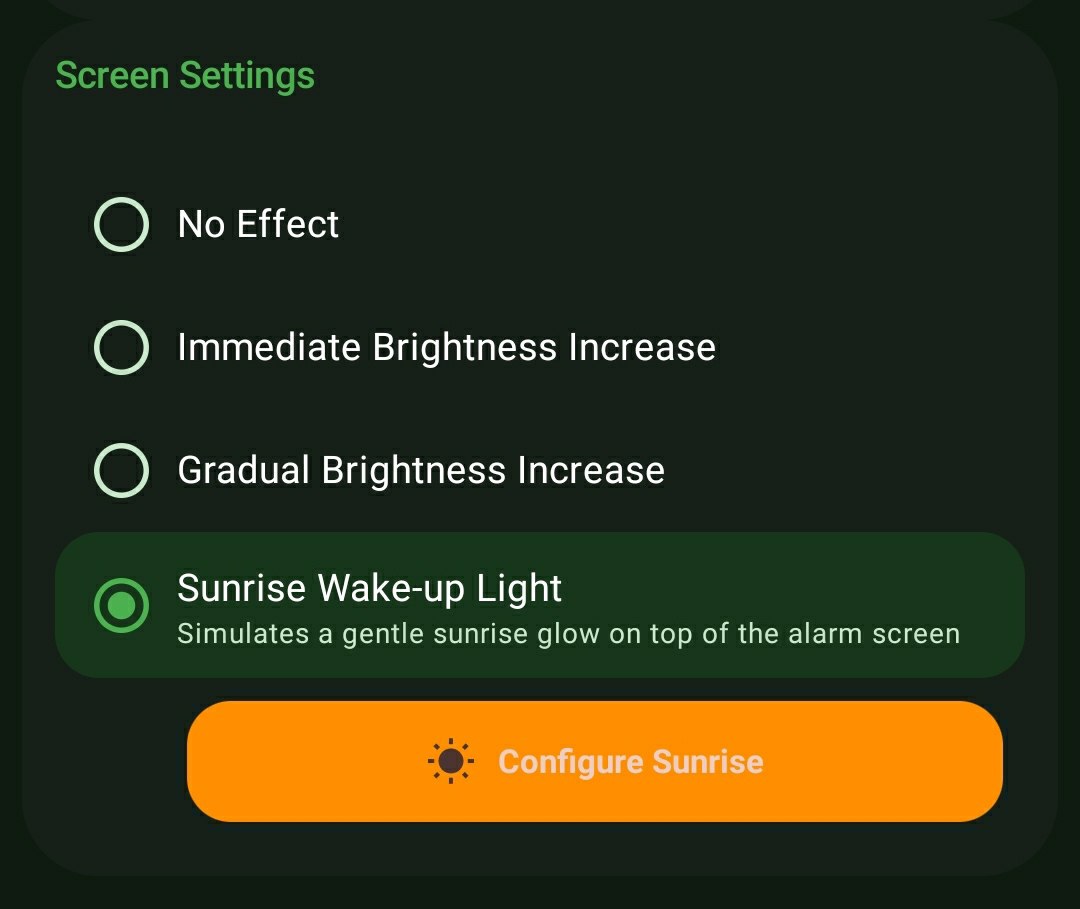
- 4 Distinct Screen Behaviors: Choose exactly how your screen reacts when ringing: No Effect (stays dim), Immediate Brightness (flashes to 100% instantly), Gradual Brightness (slowly turns up the backlight), or the specialized Sunrise Wake-up Light.
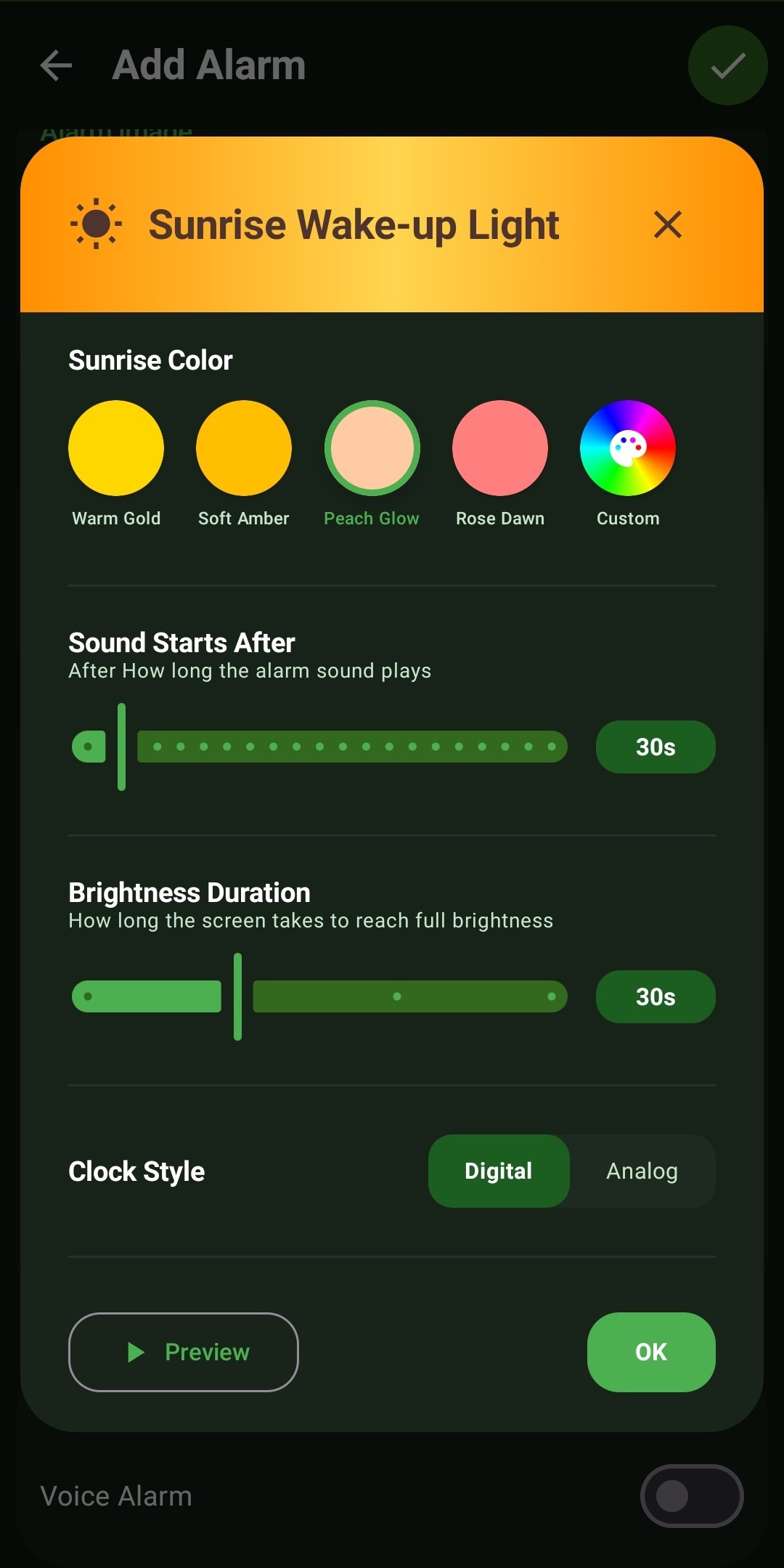
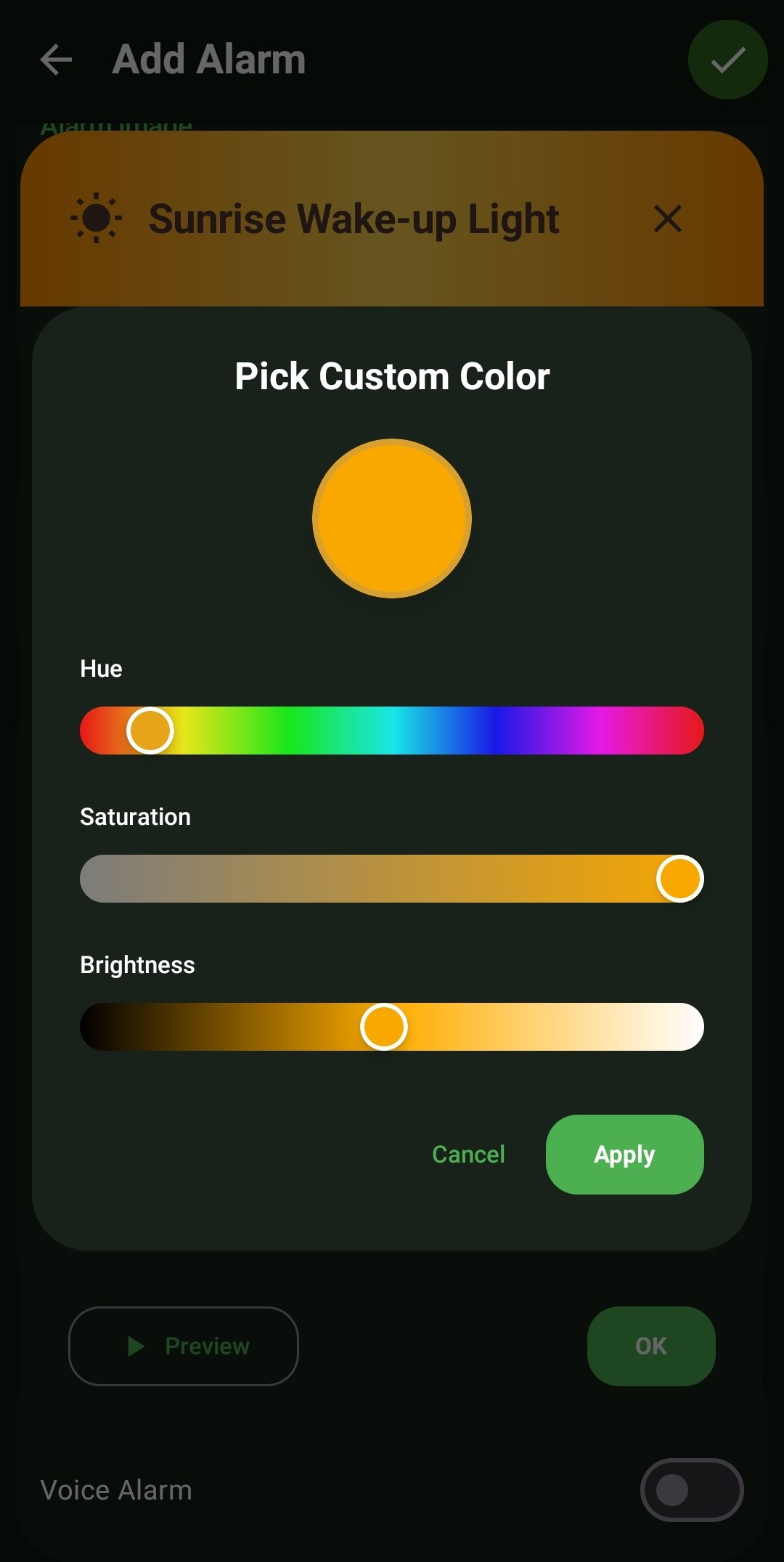
- Bespoke Sunrise Colors: Ditch generic white light. Select from 4 scientifically calibrated color temperature presets (Warm Gold, Soft Amber, Peach Glow, Rose Dawn) or utilize the advanced Hue/Saturation/Brightness sliders to mix a completely custom tint.
- Audio & Light Synchronization: Define the precise 'Brightness Duration' (e.g., smoothly fading from black to full brightness over 30 seconds) and completely separate the 'Sound Starts After' delay, giving you a full 30 seconds of pure, silent light before the audio kicks in.
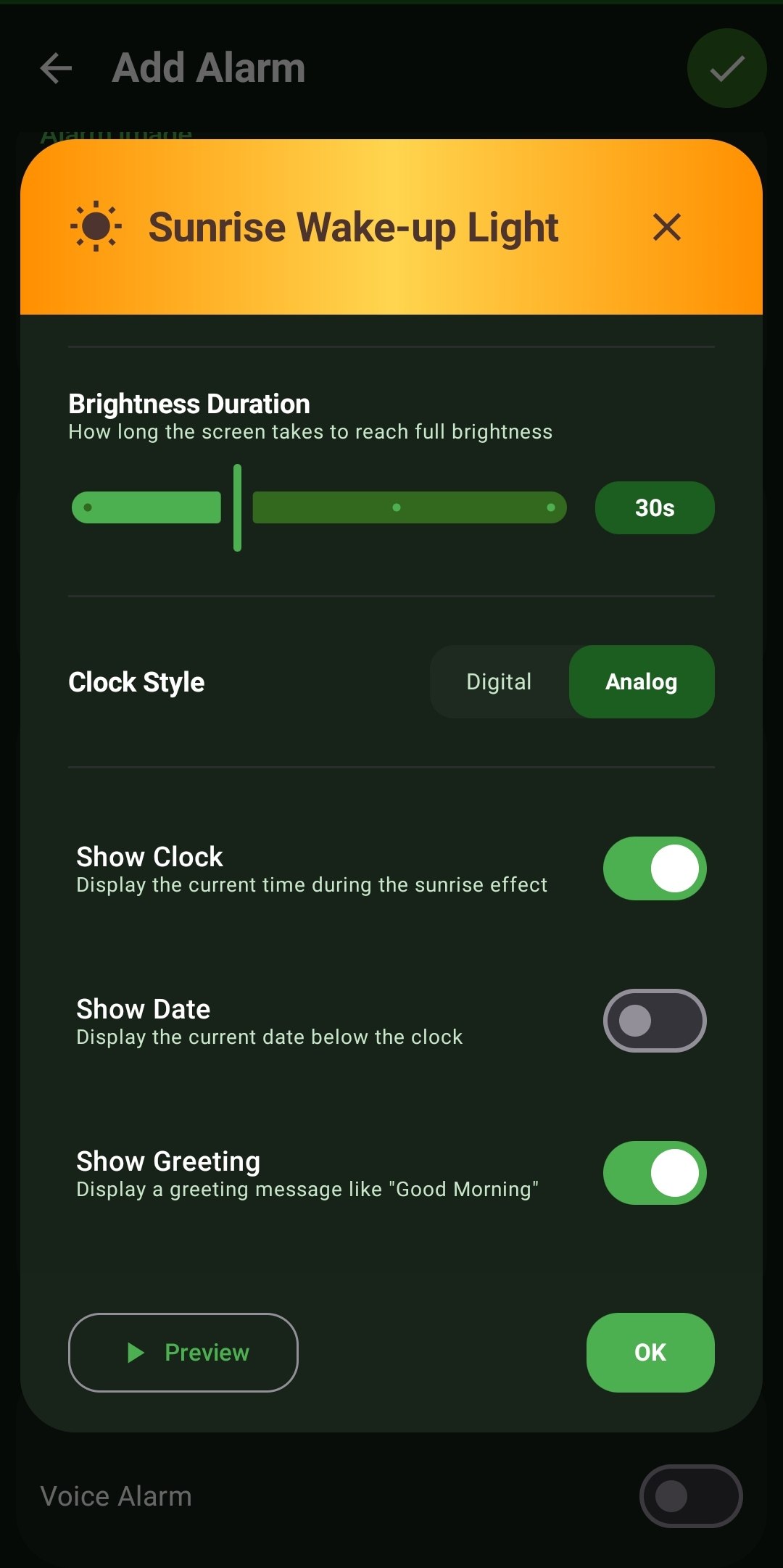
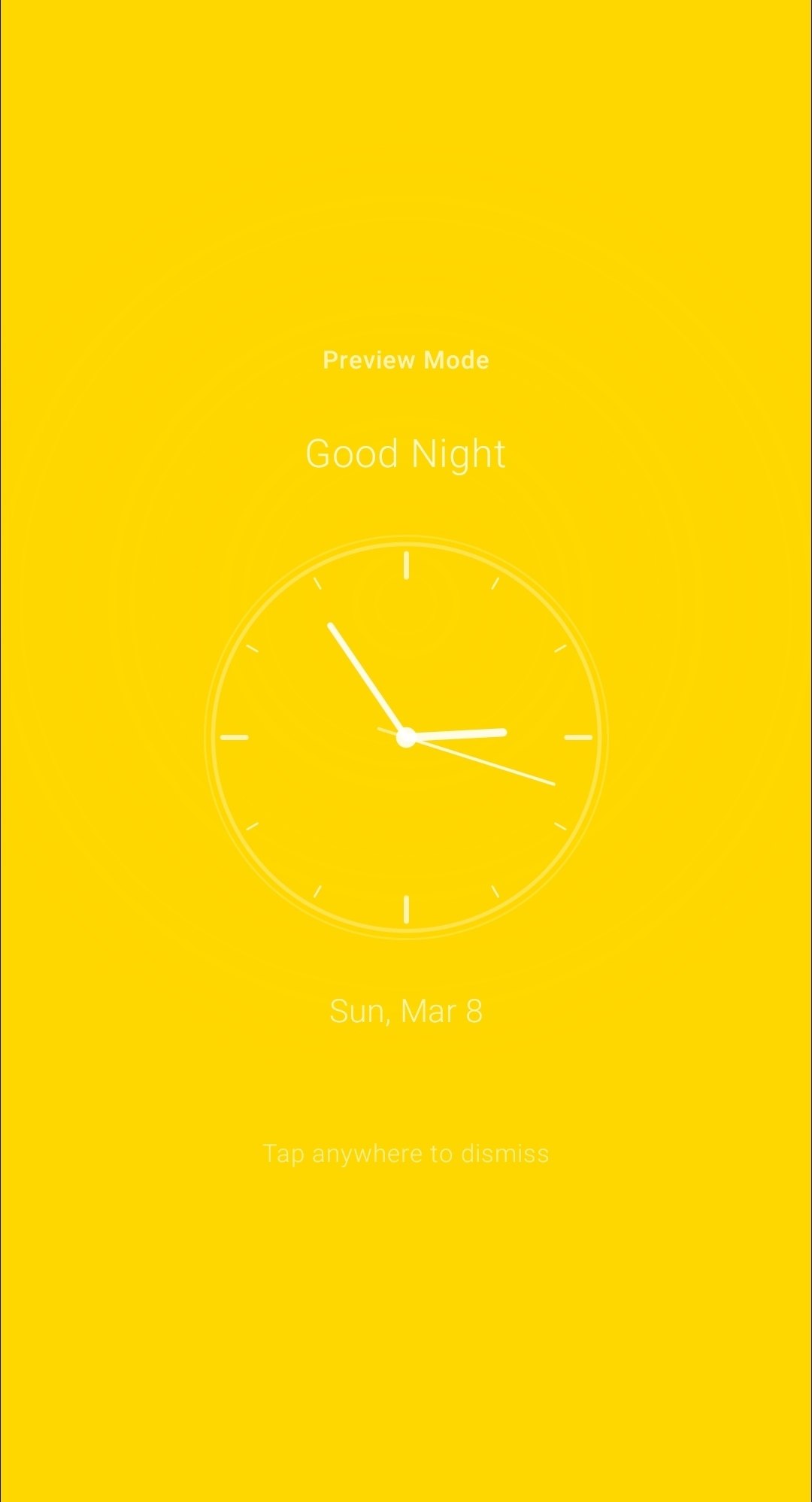
- Aesthetic Customizations: Personalize the final wake-up screen with a Digital or Analog clock style, toggle the current Date, and add a welcoming 'Good Morning' greeting.
How to Setup
- While configuring an alarm, tap into the 'Screen Settings' panel and select 'Sunrise Wake-up Light'.
- Tap 'Configure Sunrise' to open the extensive light studio.
- Select your preferred Sunrise Color and adjust the two timing sliders (Brightness Duration and Sound Starts After).
- Hit the 'Preview' button to instantly test exactly how the light gradient and clock will look in a dark room.
Use Cases
The Winter Commuter: Waking up for work at 6:00 AM in the dead of winter usually means waking up in absolute darkness. The Sunrise Wake-up Light artificially recreates a gentle 3-minute dawn right on your nightstand, completely changing the mood of your morning.
The Silent Waker: If you're a light sleeper, you can configure a 45-second Sunrise duration and turn the alarm volume way down. Often, the soft, glowing 'Peach Glow' light filling the dark room is enough to naturally wake you before any sound even triggers.
Screenshots
Frequently Asked Questions
Does this override my system's auto-brightness?
Will leaving the screen on for a 5-minute sunrise drain my battery overnight?
What happens if I naturally wake up during the silent sunrise phase?
Ready to Upgrade Your Morning?
Install ReAlarm today to unlock Sunrise & Screen for free.
Get it on Google Play