Wake Up Check
A secondary verfication prompt to guarantee you haven't fallen back asleep.
Overview
A massive failsafe for when you successfully dismiss the alarm, sit on the edge of the bed, and accidentally drift back to sleep. Wake Up Check acts as a silent guardian, pinging you several minutes after you've completed your challenges to confirm you are still awake.
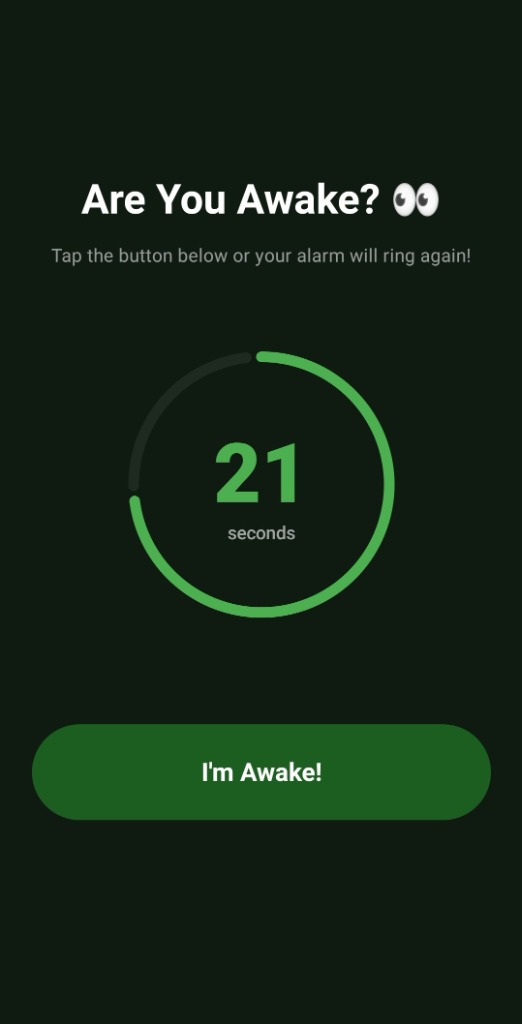
If you fail to acknowledge the secondary prompt within the designated time limit, ReAlarm assumes you have fallen back asleep and instantly triggers the alarm at maximum volume again.
Capabilities
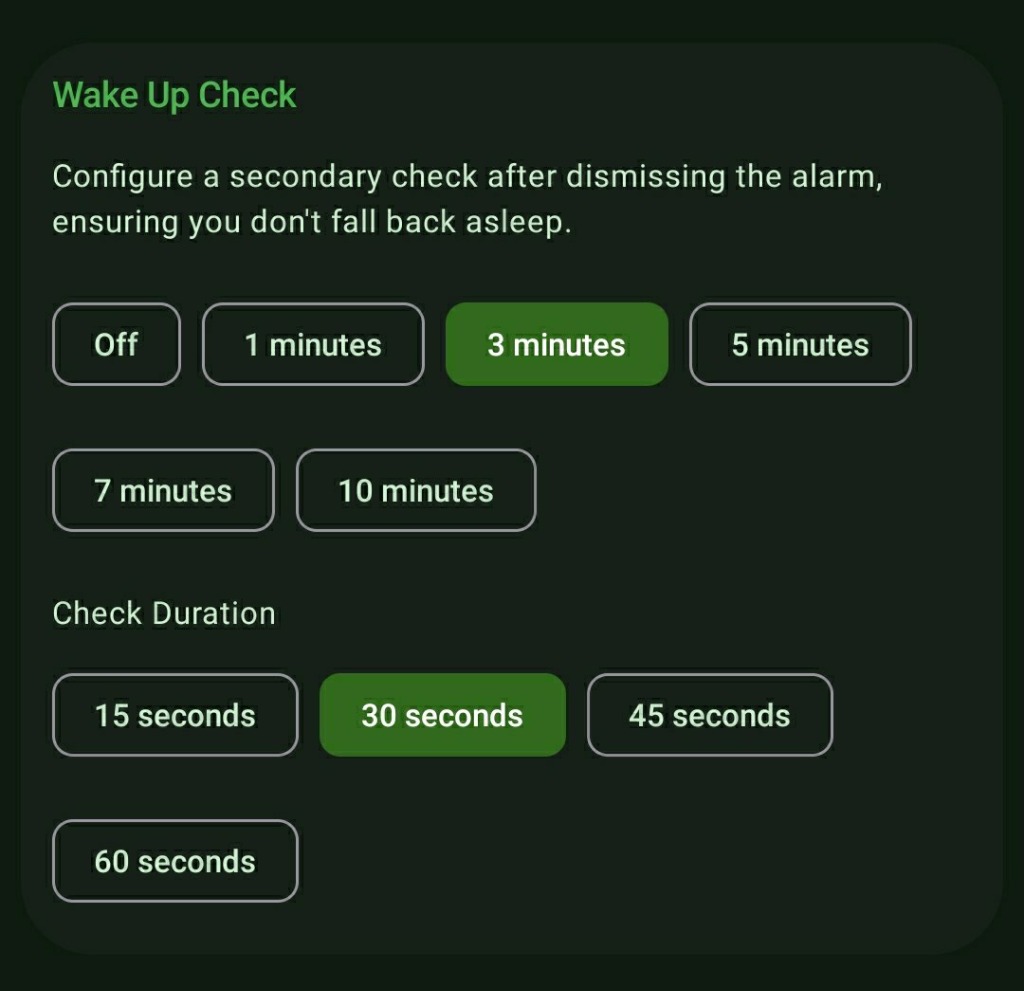
- Customizable Delays: Configure exactly how long ReAlarm waits after you dismiss the alarm before checking in on you (ranging from 1 minute up to 10 minutes).
- Strict Response Timers: Define a 'Check Duration' (15, 30, 45, or 60 seconds). You must tap the 'I'm Awake!' button within this brief window, or the alarm resounds.
- Silent Verification: The initial check-in is a silent push notification paired with a screen wakeup, respecting your roommates until you miss the deadline.
How to Setup
- In your Alarms list, open the Edit Alarm menu and locate the 'Post-Alarm Actions' section.
- Tap into 'Wake Up Check' to enable the feature.
- Select your preferred delay (e.g., check my status 3 minutes after I dismiss the alarm).
- Select the strict Check Duration (how much time you have to respond to the prompt).
Use Cases
The 'Just Five More Minutes' Trap: If you dismiss a difficult Math Challenge, lie back down, and close your eyes, the Wake Up Check will catch you sleeping 5 minutes later and rip you back awake.
Critical Meetings: A stress-relieving safety net ensuring you absolutely do not miss flights or crucial business events due to microscopic lapses in judgment.
Screenshots
Frequently Asked Questions
Does the Wake Up Check sound the alarm immediately?
Can I use Wake Up Check even if I have Multiple Challenges stacked?
What happens if I naturally wake up and use my phone before the check?
Ready to Upgrade Your Morning?
Install ReAlarm today to unlock Wake Up Check for free.
Get it on Google Play