Custom Images
Transmute your standard alarm screen into a highly specific visual cue or powerful motivational anchor.
Overview
Auditory alarms are fantastic for waking you up, but visual context is what drives immediate action. ReAlarm shatters the limitation of basic text labels by allowing you to attach a specific, high-resolution image to any alarm.
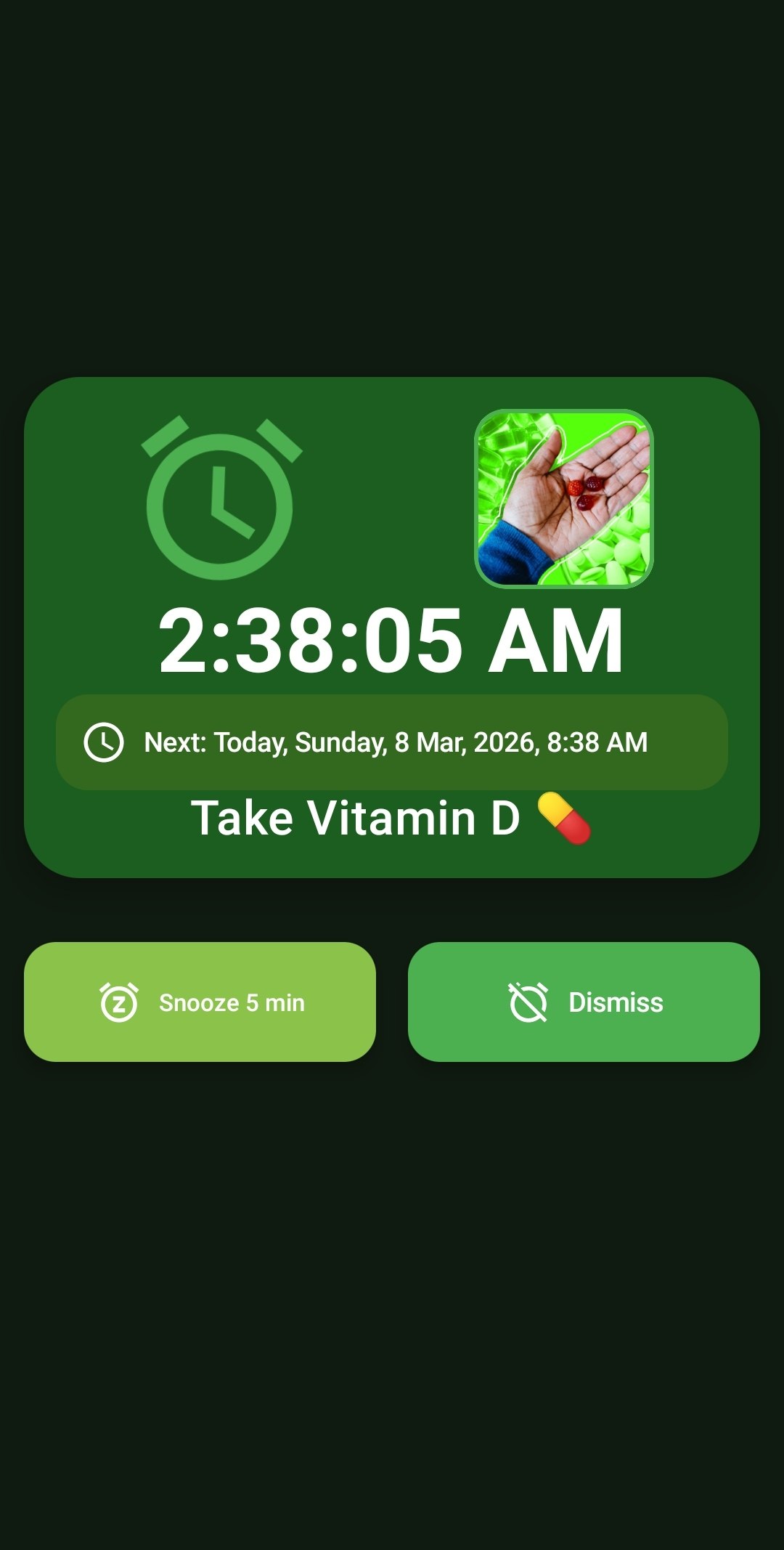
The moment the alarm fires, your chosen photo takes over the upper quadrant of the screen, providing instant, undeniable visual context. This completely removes morning confusion or the need to read small text when you are half-asleep.
Capabilities
- Integrated Image Picker: Seamlessly browse your Android device's local gallery to select any photo, graphic, or downloaded image to serve as your alarm anchor.
- Prominent Visual Display: The attached image renders prominently alongside the current time and the alarm label (e.g., 'Take Vitamin D') throughout the entire duration of the ringing alarm.
- Visual Habit Tracking: Perfect for establishing new daily routines by pairing an auditory cue with a specific visual target.
How to Setup
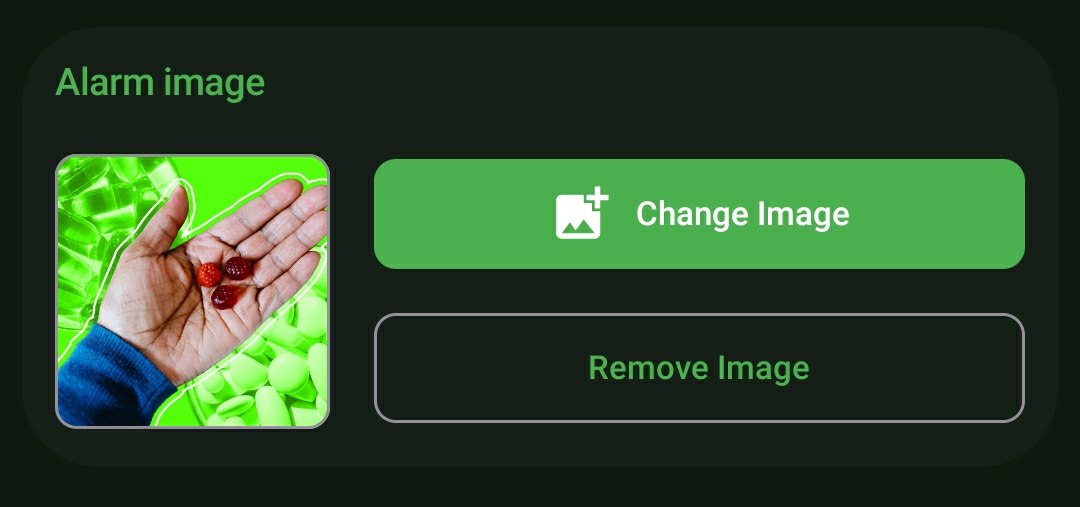
- While creating or editing a specific alarm, scroll down to the 'Alarm Image' panel.
- Tap the 'Change Image' button to launch your device's native photo picker.
- Select your desired photo. The thumbnail preview will immediately update to confirm the attachment.
Use Cases
Critical Medical Reminders: Never mix up your medications again. Take a clear photo of your specific 'Vitamin D' pill bottle and attach it to your 2:30 PM alarm. When it rings, the massive visual of the bottle guarantees you take the correct dosage.
Morning Motivation: It's hard to hit snooze when you are staring directly at a photo of your dream vacation, your family, or your ultimate fitness goal. Use visual anchors to force yourself out of bed and into action.
Screenshots
Frequently Asked Questions
Does ReAlarm crop or compress my Custom Images?
What happens if I delete the photo from my phone's gallery after setting the alarm?
Can I have a different Custom Image for every single alarm?
Ready to Upgrade Your Morning?
Install ReAlarm today to unlock Custom Images for free.
Get it on Google Play