Custom Alarm Volume
Decouple your alarms from your device's master volume settings for explicit audio control.
Overview
A common pain point in modern smartphones is that the system strictly globally links your 'Alarm Volume' slider to every single alarm app installed on the device. ReAlarm uniquely allows you to break this chain.
By enabling Custom Volume, the app securely overrides the master Android audio constraints precisely when your specific alarm fires. This means you can have your phone's main ringer volume set to absolute zero or 10%, but program a critical medication alarm to reliably blast at a guaranteed 100%.
Capabilities
- Isolated Audio Scaling: Configure volume levels accurately on a 0% to 100% slider independently for every single alarm profile.
- System Override Engine: When an alarm equipped with Custom Volume triggers, the app mathematically forces the Android hardware audio stream to maximum capacity in the background, delegating precise volume output entirely to ReAlarm's internal media player.
- Perfect Media Integration: Integrates flawlessly with the companion 'Headphone Routing' toggle, ensuring explicit custom volume commands are safely piped to connected Bluetooth earbuds without relying on the phone's native media volume levels.
How to Setup
- Inside any alarm profile, scroll to the 'Sound & Volume' settings quadrant.
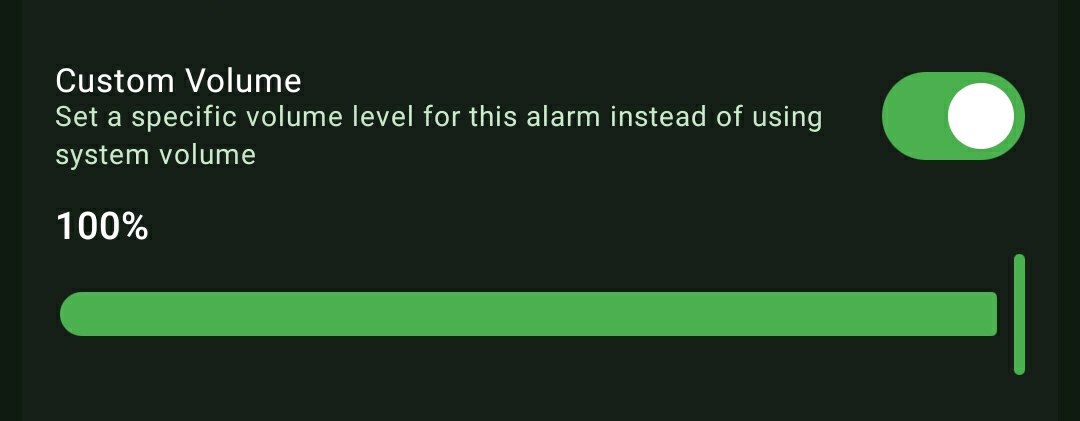
- Toggle the 'Custom Volume' switch to ON.
- A precision horizontal slider will materialize. Drag this slider to secure the exact volume threshold (e.g., 65%) exclusively assigned to this scheduled alarm.
Use Cases
The Quiet Office: You keep your physical phone volume at 10% all day to ensure incoming texts and emails don't disturb your coworkers. However, you configure your 'End of Shift' alarm with a Custom Volume of 80% to ensure you absolutely don't miss it.
Night Stand Hubs: Your tablet serves as an alarm clock across the room. You can leave the tablet's master volume muted, but strictly assign a 100% Custom Volume to your 6:00 AM wake-up schedule.
Screenshots
Frequently Asked Questions
Will this permanently change my phone's actual volume?
Does this work in tandem with Gradual Volume Increase?
Ready to Upgrade Your Morning?
Install ReAlarm today to unlock Custom Alarm Volume for free.
Get it on Google Play